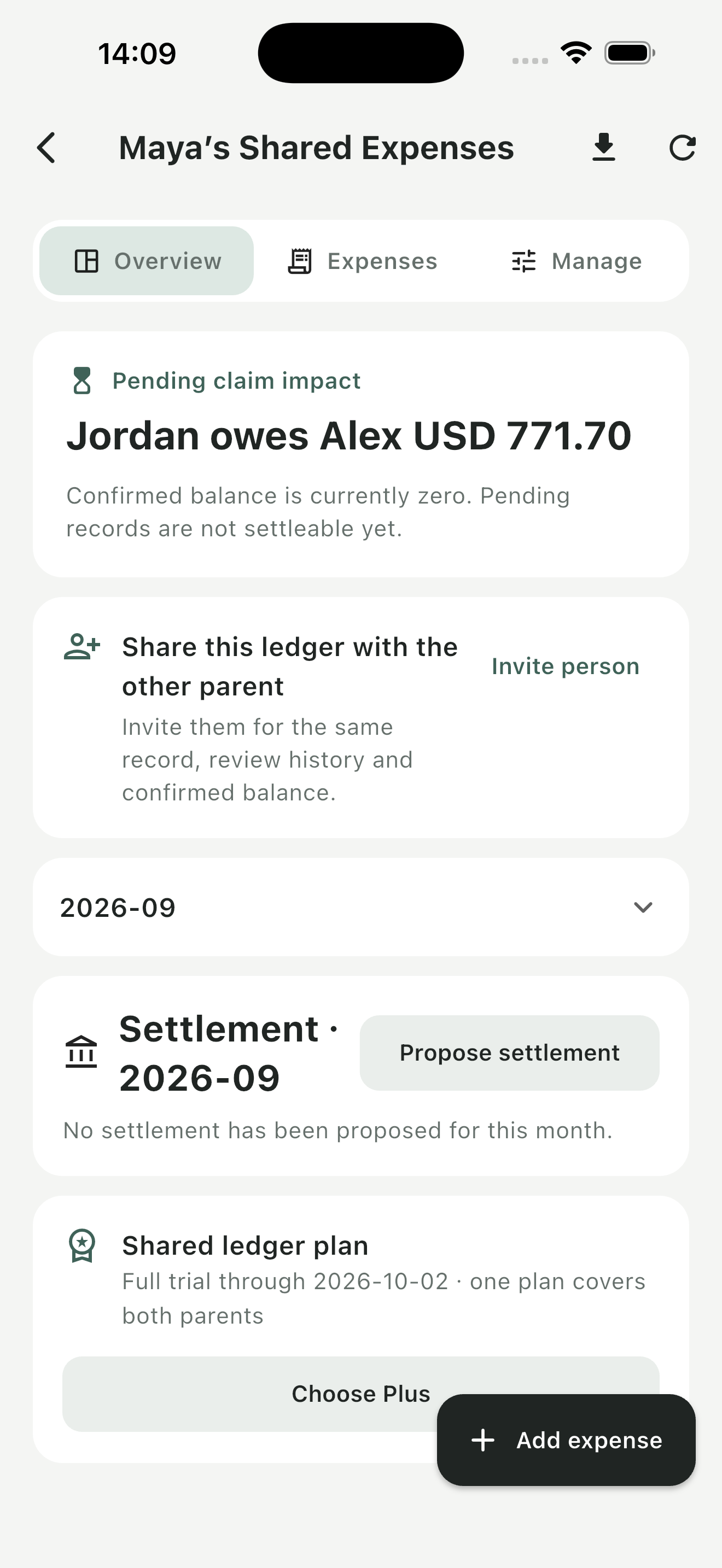
What it does
Shared Ledger is built around a shared record of child-related spending. An entry can hold an amount, a proposed split, an optional receipt and its review history. Keeping these details together makes it easier to distinguish an expense that has just been added from one that both people have reviewed.
Who it is for
Co-parents who already have an arrangement for sharing costs and want a consistent way to record, review and follow up on those costs.
Features & workflow
Record an expense or refund
Add the amount and sharing details. Receipts and payment images are optional, so a simple entry does not need a photo.
Review the details
Confirm an entry or request more information. Revisions keep their reasons and history alongside the record.
Follow repayments
See pending and confirmed balances separately. Create monthly settlements and record partial repayments without treating an unsettled amount as paid.
Keep a portable record
Export PDF or CSV reports when you need a copy. Check the reporting period and review status before sharing a report.
Getting started
Create a ledger
Start as a guest. Link the account before reinstalling or moving to another device.
Add and review entries
Record one cost at a time, include useful context, and allow the other person to review it.
Record what happens next
Log repayments as they occur and export a dated record when needed.
Plans & purchases
Free access includes the core workflow within plan limits. A 30-day Plus trial starts without payment. Plus has monthly and annual options, with current local prices displayed in the app before purchase.
Before you start
Shared Ledger records expenses and repayments; it does not transfer money or decide what either person is legally required to pay. Your own arrangements remain the source for sharing decisions.
Common questions
Can I use it without uploading receipts?
Yes. The published app description makes supporting images optional.
Does it send payments?
No. It records repayments; the transfer itself happens separately.
What should I do before changing phones?
Link your account so you can sign in again. Do this before reinstalling the app.